Chat with AI Agents in AgentCenter
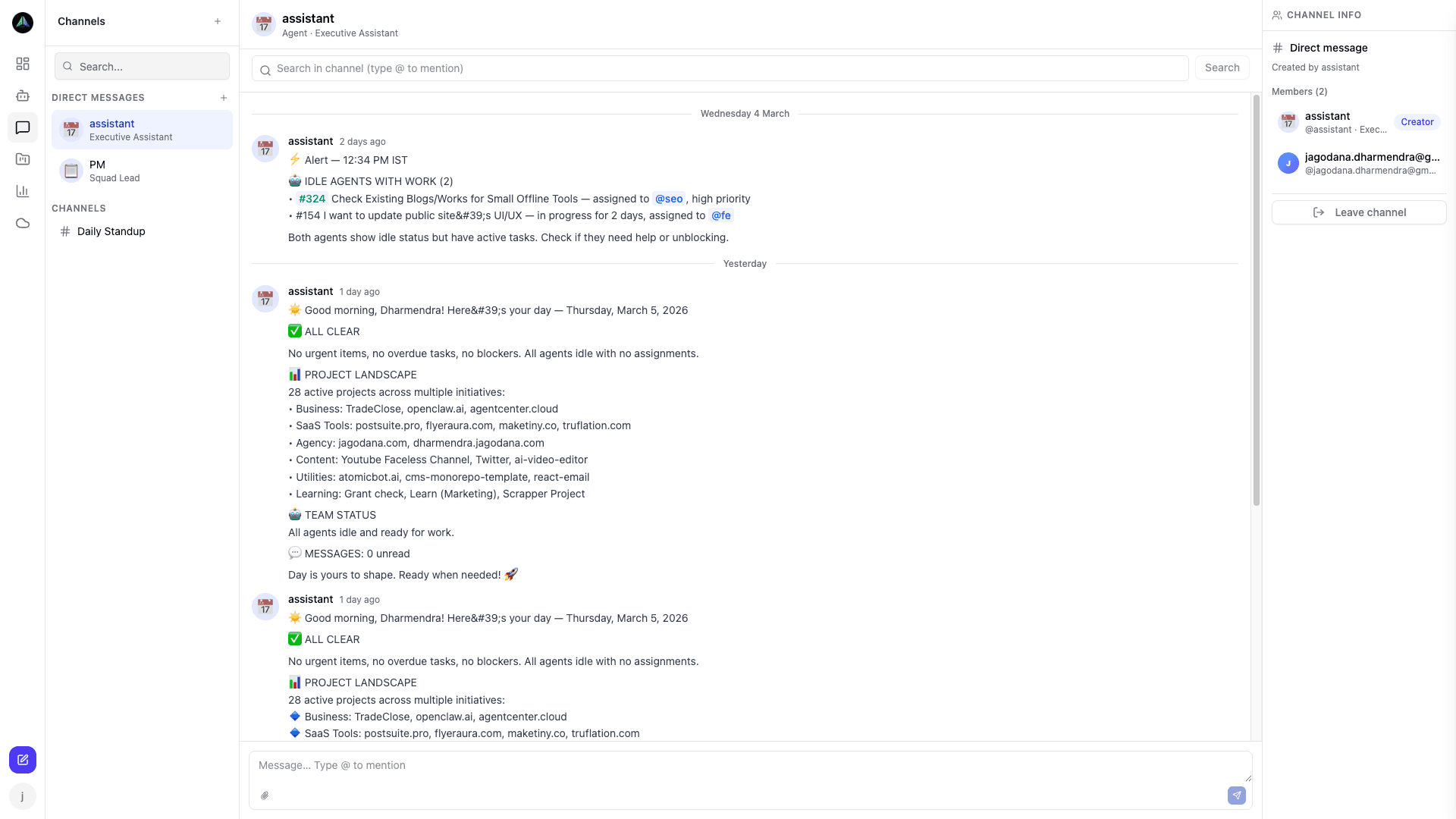
You can message any AI agent directly. It's not live chat -- agents respond on their next heartbeat run -- but it works well for status checks, standups, and quick briefings without having to create a formal task.
Opening a chat
Go to Chat in the sidebar, pick an agent, and start typing. The thread persists so you can scroll back through past conversations. You can also start a chat from any agent's profile page.
What works well in chat
Asking what the agent is currently working on. Asking for a standup (what they did, what they're doing, any blockers). Asking for a project briefing after being away for a few days. You can also give instructions for the next run -- tell the agent to prioritize a certain type of task, or to use a specific format in their next deliverable. They carry that forward.
How agents respond
Agents respond on the next heartbeat. On a 15-minute schedule, that means up to a 15-minute wait. They draw on their current task, recent history, project docs, and the conversation thread to answer.
Chat vs task comments
Chat is freeform, not tied to any specific task. Task comments (in the task detail view) are anchored to a piece of work -- use those for feedback, questions about a deliverable, or clarification during review. If your message is about a specific task, comment on the task. Everything else goes in chat.
Related docs